
Error number 93 prevents a gamer from joining any party in the game.
Fortnite is a battle royale game developed by Epic Games in 2017 that has grown to become one of the world’s most popular battle royale games. It presently has over 150 million registered users and 80.9 million monthly players, making it one of the greatest in the market, and it’s a pleasant game to play alone or with friends. While Fortnite is one of the most well-known games in the world, it doesn’t mean it’s without flaws.
Contents
- What is Error code 93 in Fortnite?
- How to Fix Error Code 93?
- Fix 1: Check Fortnite Servers
- Fix 2: Change your Skin
- Fix 3: Change the Party Type to Public
- Fix 4: Join Friends Through the Epic Games Friends List
- Fix 5: Restart the Game
- Fix 6: Restart the Router
- FAQs
- Q. What does code 93 mean on Fortnite?
- Q. How do I check if the Fortnite servers are working?
Among the most common bugs on Fortnite is error number 93, which prevents you from joining any party in the game. Gamers will be unable to join any party in the game, which can be difficult for people who like to play with their friends regularly. According to what we know, this problem is primarily caused by server-related issues. It could, however, be due to sluggish network connections, incorrect game settings, or faulty installation files.
When you try to attend a party, you are automatically thrown out with this error notice. The problem appears to be caused by a combination of variables, including «private» lobby invites and skins. This has also caused significant inconvenience to the overall player population, and like several similar issues, Epic Games has failed to provide a patch for this.
How to Fix Error Code 93?
Regardless of the fact that we know exactly what Error 93 is and what it does, the most difficult part of resolving it is determining why it occurs. It could be a problem on either side, or it could be a server issue. Here are a few frequently tried solutions:
Fix 1: Check Fortnite Servers
We recommend that you check the game’s status first before modifying your system configurations. By doing so, you’ll be able to pinpoint the source of the problem. Check Epic Games’ status page to determine whether there is a continuing Fortnite server issue. If the servers are down, the only thing one can do for now is to wait for their team to resolve the issue. If not then there are a few other options one can try to troubleshoot the problem.
Fix 2: Change your Skin
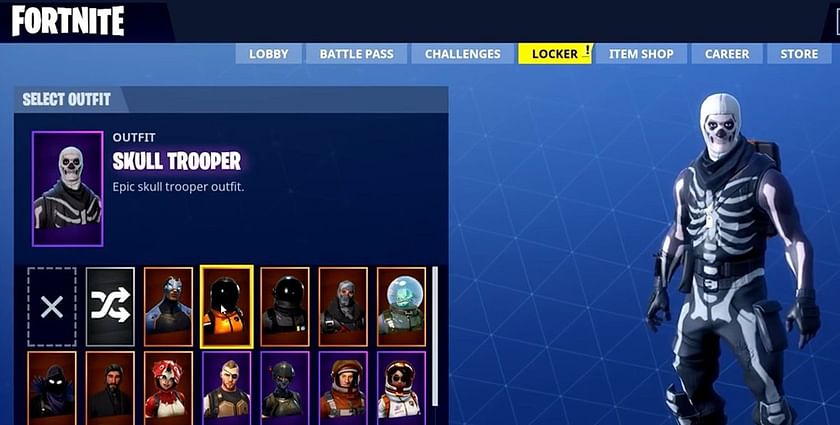
If there is no server-related problem and you continue to receive the ‘unable to join party’ notice upon seeing error code 93, then experiment with different skin tones. Even though there is no justification as to why this should work, the Fortnite community has proven that changing skins has allowed players to circumvent error 93 on multiple occasions.
Fix 3: Change the Party Type to Public
Another way to resolve problem code 93 is to change the status of the created lobby from private to public. Gamers will join your lobby without invitation if you skip the party invite phase and use the public lobby. This modification, however, can only be made by the party’s leader. For those wondering how to do it, please follow the guidelines below.
-
Click the party icon in the top-left corner of the screen from the Fortnite main dashboard.
-
Click the gears symbol next to your account’s name.
-
Change the Party Privacy setting from Public to Private and save the change.
-
Invite your pals back and see if the problem has been handled.
Fix 4: Join Friends Through the Epic Games Friends List
For those who continue to get Fortnite error code 93 when attempting to join an existing party, consider connecting with your friends through the Epic Games friend list rather than the Fortnite Friends list. To do so, first, add the name of your friends through the Epic Game launcher’s friend list, and enter their email address or Epic Username. Once they are on the list, try re-joining the lobby to see whether the error has been fixed.
Fix 5: Restart the Game
If there is no server issue and none of the preceding options have helped you resolve Fortnite error code 93, restart your game on PC, PS4, PS5, or XBOX. This straightforward approach has helped many players who have connectivity problems and can be an efficient way to resolve Fortnite error code 93.
Fix 6: Restart the Router
Routers can occasionally cause internet connectivity issues and thus to rule out this possibility, restart your router and check to see whether the Fortnite error number 93 has been fixed.
-
Turn the router off for 30 seconds, then back on.
-
Reconnect your phone if you are experiencing error 93 on Android or PC.
To play Fortnite, one requires an internet connection minimum of 3 Mbps or higher.
FAQs
Q. What does code 93 mean on Fortnite?
A. Error number 93 in Fortnite prevents a gamer from joining any party in the game.
Q. How do I check if the Fortnite servers are working?
A. Open Epic Games’ status page to see whether there is a continuous Fortnite server issue to establish if the issue with your game is a server issue.
Данное руководство предназначено специально для исправления ошибки Fortnite с кодом 93. Если способы исправления, упомянутые в этом руководстве, не сработают, вам стоит проделать шаги, описанные в статье о коде ошибки 91.
Перейдем непосредственно к делу!
Содержание
- Смена скина для исправления ошибки Fortnite код 93
- If Invites are not Working, Barge in Without an Invitation!
- Если приглашение в игре не работает, пригласите друзей с помощью списка друзей Epic Games
- YouTube video: Код ошибки 93 в Fortnite: невозможно присоединиться к партии? Давайте это исправим!
- Если это проблема сервера, «Ожидание» — единственный вариант исправить код ошибки 93 в Fortnite!
Смена скина для исправления ошибки Fortnite код 93
Я понимаю, что вы не можете расстаться со своим любимым скином, но какой смысл использовать этот скин, если вы не можете присоединиться к партии. Хотя простая смена скина не кажется законной, многим игрокам Fortnite она помогла избавиться от кода ошибки 93. Однако если вы получаете код ошибки 91, смена скина может помочь не так сильно.
Чтобы сменить скин, войдите в свой аккаунт Fortnite и на вкладке Locker перейдите в раздел Account and Equipment и смените скин. Вернитесь в окно «Выбор режима игры» и дождитесь, пока ваш друг отправит приглашение, которое вы сможете принять без появления ошибки.
Ваш скин и код ошибки 93; связаны ли они вообще? Может, спросить об этом у Epic Games!
Рекомендуется для вас: New Bully Game .
If Invites are not Working, Barge in Without an Invitation!
Для этого, вечеринка, к которой вы пытаетесь присоединиться, должна иметь настройки приватности на «public». Вы же не можете постучаться на частную вечеринку? Изменить конфиденциальность вечеринки очень просто.
Находясь на экране «Выбор режима игры», найдите значок «Настройки» для вашей вечеринки, нажмите на него и измените тип вечеринки на «публичную» (опция находится в правом верхнем углу экрана «Настройки»).
Поскольку это публичная вечеринка, ваши друзья будут не единственными, кто может присоединиться к ней. Если вы — ведущий, вы всегда можете выгнать неизвестных игроков и позволить остаться только вашим друзьям.
Fortnite плохо работает на вашем ПК? Это то, что вам нужно! Гарантированные способы улучшения кадров в Fortnite
Если приглашение в игре не работает, пригласите друзей с помощью списка друзей Epic Games
Если вы получаете код ошибки 93 в Fortnite при попытке присоединиться к партии в игре, вы можете попробовать сделать то же самое, но на этот раз вы будете присоединяться через список друзей Epic Games . Добавьте своих друзей в список друзей Epic Games, добавив их имя пользователя Epic к своей учетной записи. Как только вы станете друзьями на Epic Games, вы сможете обмениваться приглашениями и, возможно, обойти код внутриигровой ошибки 93.
После запуска игры откройте вкладку «Друзья» и найдите опцию «Добавить друга». Вам будет предложено указать имя пользователя Epic Games вашего друга (вместо имени пользователя можно также использовать адрес электронной почты, связанный с этим аккаунтом). Для игроков Fortnite на PlayStation 4 и Xbox One пригласить друзей можно с панели управления консоли.
YouTube video: Код ошибки 93 в Fortnite: невозможно присоединиться к партии? Давайте это исправим!

Если это проблема сервера, «Ожидание» — единственный вариант исправить код ошибки 93 в Fortnite!
Вы не можете присоединиться к вечеринке, если серверы Fortnite сильно загружены или если что-то не так с сервисами вечеринки. Если на серверах проводится плановое обслуживание, возможность присоединяться к вечеринкам и принимать приглашения может быть временно отключена. Вам следует проверить, не вышли ли из строя серверы Fortnite, если проблема сохраняется в течение длительного времени. Например, вы можете посетить официальный Twitter Fortnite, чтобы узнать последние новости о состоянии серверов (обычно они заранее сообщают в твиттере, если намечается отключение серверов)
.

Одна из самых популярных игр BR, Fortnite, беспокоит своих игроков бесчисленными ошибками и кодами ошибок. В отличие от серьезных ошибок, эти коды ошибок можно легко исправить с помощью простых обходных путей. Одним из самых печально известных кодов ошибок в Fortnite, который многим надоел, является код ошибки 93 Fortnite. Итак, в этой статье мы расскажем подробности об этой проблеме и подскажем, как исправить ее навсегда. Вот все, что вам нужно знать.
Fortnite стала любимой игрой фанатов с момента ее выхода в 2017 году. Игра сумела создать свое влияние в игровой индустрии и в настоящее время процветает среди игр PUBG, Apex Legends и др. Однако нет такой многопользовательской онлайн-игры, в которой не было бы своей доли ошибок и проблем. Так и в Fortnite, многие игроки расстраиваются из-за многочисленных кодов ошибок, которые игра выдает в случайное время. Код ошибки 93 в Fortnite — это печально известный код ошибки, который игроки получают при попытке присоединиться к партии. Как только появляется этот код ошибки, игрока выкидывает из партии с сожалением и разочарованием. Если вы столкнулись с такой же проблемой в Fortnite, не стоит больше беспокоиться, так как есть определенные исправления и обходные пути, которые могут устранить ошибку. Продолжайте читать, чтобы узнать больше.

Никто не хотел бы столкнуться с кодами ошибок в своей любимой игре. Однако если такая ситуация произошла, вы должны знать, как от них избавиться. Вот все обходные пути, которые могут помочь вам навсегда избавиться от кода ошибки 93 в Fortnite.
1) Используйте список друзей Epic Games, чтобы присоединиться к партии
Поскольку ошибка обычно возникает, когда игроки пытаются присоединиться к партии через саму игру, рекомендуется использовать для этого список друзей Epic Games. Это позволит обойти ошибку, и вы сможете играть со своими друзьями без проблем.
2) Сменить скин
Хотя это может показаться глупым, но, по словам многих игроков, код ошибки 93 можно исправить, сменив внутриигровой скин. Это не проверенное решение, но попробовать все же стоит.
3) Смените статус лобби с приватного на публичный
Если статус вашего лобби — «Приватное», вы должны переключить его на «Публичное», а затем пригласить друзей на вечеринку. Многим это помогло исправить ошибку, поэтому мы думаем, что это может сработать и для вас.
4) Переустановите Fortnite
Если ни один из вышеупомянутых методов не помог, просто переустановите игру и проверьте, сохраняется ли ошибка.
Итак, это все, что вам нужно было знать об устранении ошибки Fortnite Error code 93.
Последнее обновление 05.01.2023
You’ve likely encountered Error Code 93 in Fortnite when trying to join a party at which point you are automatically kicked out with this error message in toe. The bug seems to be triggered by a number of factors including “private” lobby invites and skins.
The bug has caused a great inconvenience for the general player base and as is the case with many of these errors, there is yet to be a fix from epic games. Luckily there are a few manual solutions you can try out:
Related: How To Fix Error Code 91
1: Change Your Skin
Sometimes the solutions to these problems can seem quite strange, this one is no exception. The Fortnite community found out that if you change your skin you can bypass the bug entirely but at this point it is uncertain why this solution works and it doesn’t work for everyone.
2: Change The Party Lobby To Public
Another option would be to switch your created lobby from private to public. This is another by passing solution that unfortunately inconveniences your game creation options but can solve error code 93.
- Enter into settings
- In the top right, below party finder, switch private to public
This will hopefully bypass the bug by entering without an invite via public lobby.
3: Join Friends Through The Epic Games Friends List
You can also try adding your friends to the Epic Games Friends List found on the launcher instead of simply having them on your Fortnite Friends List. Add them by using either their email address or epic username. Once they are on the list you can attempt to re-join the lobby to see if the issue persists.
- Start the Epic Games Launcher and start Fortnite
- Navigate to your friends list in Epic Games client and Click to add a friend, type your friends name and click add.
- Once your friend has accepted the request try entering the lobby in game
- If you are on Xbox use your friends Xbox Gamer tag to make the friend request.
You can also try and unfriend your party members and re-friending them in the Epic Games Friends List to see if that resolves the problem.
Conclusion
If these solutions didn’t work for you make sure to try the good old re-install option or verify your game files within the Epic Games Launcher. If you are still experiencing issues, there is always a chance that Epic Games resolves the issue with an upcoming patch. You can also check out the Fortnite subreddit to see if the community has found another solution.
Are you experiencing Fortnite Error Code 93?
Error Code 93 (connectivity error) is a new error that recently occurring in the game
This error occurred due to multiple reasons
Before going to a detailed solution let’s have a Quick FAQ
Fortnite Error Code 91: Unable to Join Party?
What is Fortnite?
Fortnite is a battle royale game which available on console, PC, and mobile, Fortnite contains four modes of game
- Battle Royle
- Party royale
- Creative
- Save the World
Fortnite has a cross-play feature that enables players to play from different platforms and players from the different platforms can join the same game with their friends.
Fortnite is leading game right now rivaling with PUBG, COD mobile, all these games are very popular among youngster, these all games are accessible from a mobile which lead them too more popularity.
How do I fix error code 93 on Fortnite?
Fix error code 93 by restarting your device on which you are playing Fortnite. After restarting the device if the error still exists then try to restart the internet modem. If you are still facing the error, then read the detailed solution down below.
What does error code 93 mean on Fortnite?
Error code 93 on Fortnite means “Unable to join a party”/ Connectivity error. This error can be rectified in multiple ways.
What does error code mean for Fortnite?
This error code 93 Means for Fortnite “Unable to join a party”/ Connectivity error. This error can occur in any device which you’re using for Fortnite.
Some quick fixes
- Try to restart the device you use to play Fortnite on it
- And restart the internet modem will help you to remove Fortnite error code 93 easily.
Best Video Guide For Fortnite Error Code 93:
Recommended Fortnite Goodies for Fortnite Fans
Solution 1: Restart your Fortnite
The most simple solution of all time is to restart your game.
Whenever you encounter Fortnite error code 93 and any game bugs will be gone after you restart your Fortnite game.
Solution 2: Restart your Computer/Phone/Console
If the above solution didn’t work then you’re should try rebooting your device.
By rebooting your device many bugs are removed.
Some time Fortnite game app’s old cache developed which might be causing the Fortnite error code 91.
Solution 3: Check the Fortnite Game Server Status
Fortnite servers sometimes go down and start causing Fortnite error code 93.
To ensure that the server is working or Check the Fortnite server status 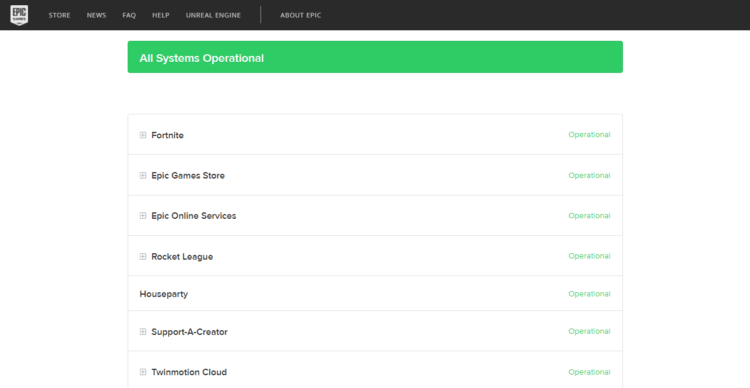
Solution 4: Power Cycle your Wi-Fi Router To Fix Fortnite error code 93
If the above solution didn’t work, this solution has worked for many users to fix the Fortnite error code 93.
All you need to do is follow these steps:
- Turn off your router completely by taking out the power cable from the power switch
- Now leave it for 5 to 10 minutes and then plug it back in
- And check if the Fortnite Error Code 93 is solved
Make sure you restart those devices which are affected in the process for an accurate fix.
Solution 5: Go for Epic Friends List To Fix Error Code 93 Fortnite
If your friend is on Epics friends then that will make your experience far easier.
You just need to add your friends through the Epic friend’s list and Vella now you are able to play Fortnite without Fortnite Error Code 93.
Fortnite Not Launching
Solution 6: Change the Skin of Your Character To Fix Error Code 93 Fortnite
If the above solution didn’t work out for this will definitely will help you to solve Fortnite Error Code 93.
This solution has been done by some Fortnite players which help them to get rid of Fortnite Error Code 93 and they easily can play in party mode with their friends
Here is how you can change the skin in Fortnite:
- First, you have logged out from the game
- After that Log back in
- Navigate to Locker
- Two options will appear
- Select Gear
- Now change the Skin
After changing the Skin now go and try to join Freind’s party again. Hope this solution helps you to eliminate the Fortnite error code 93.
Solution 7: Reinstall Fortnite Game To Fix Error Code 93 Fortnite
Reinstalling the Fortnite game will definitely help to get rid of the Fortnite Error Code 93.
Reinstalling the Game helps many players.
But, we recommend trying the above solutions before uninstalling the app.
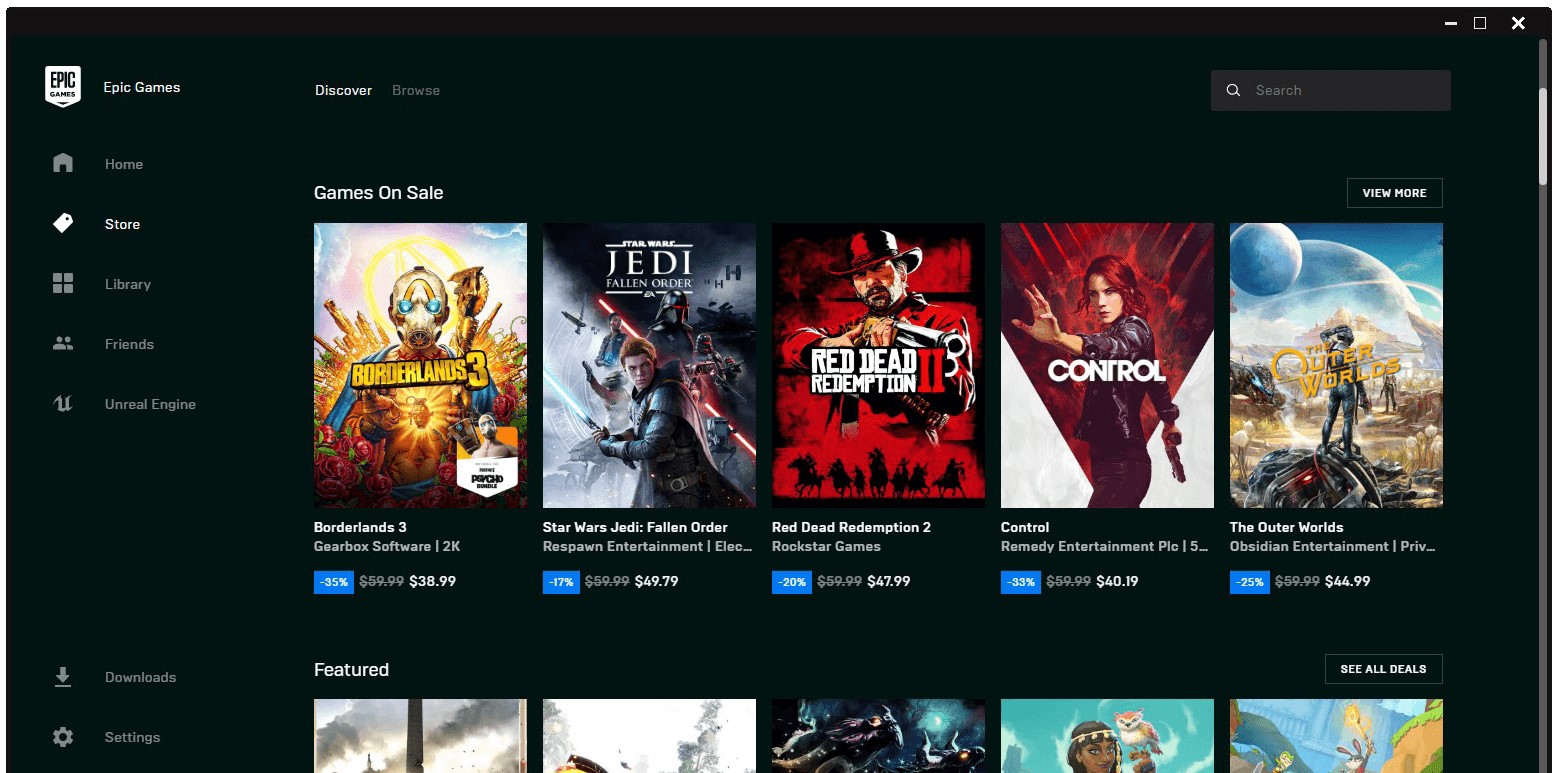
Here is how you uninstall the app on PC
- Start Epic Game launcher

- Click on your Library
- Click on the three dots beside your game
- Now select uninstall

- Restart the Epic games launcher
- Now install your game again
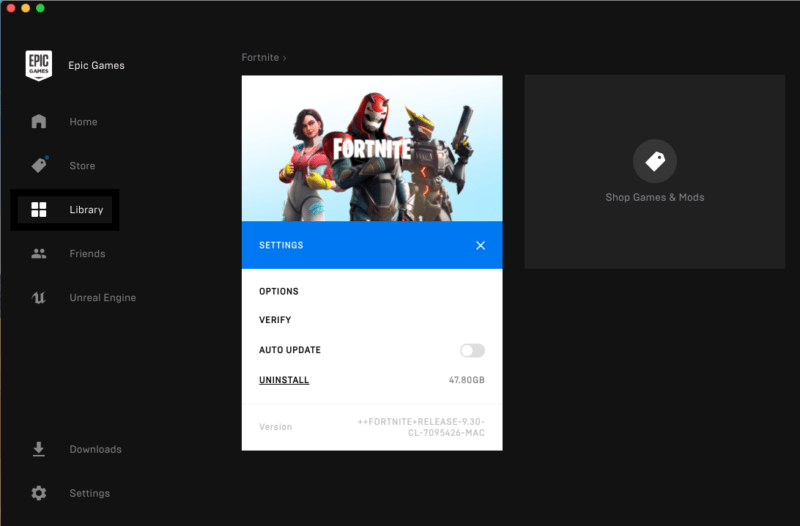
Hope this will help you to rectify Fortnite error code 93
Share your experience down below in the comment section.
Popular User Queries for Error Code 93 Fortnite:
- フォートナイト エラーコード93
- error code 93 in fortnite
- code erreur 93 fortnite
- epic games error code as-3
- フォートナイト エラーコード 93
- error code 93 fortnite switch
- 93 code
FAQ’s
How do I fix Error 93 on Fortnite?

To fix Error 93 on Fortnite you can do various solutions but before applying any solution it’s recommended to do simple troubleshooting steps which might help you eliminate the error Fortnite Error Code 93.
1. Restart the PC/Consule/Mobile
2. Restart the WIFI router
3. Check your Internet connection speed
4. Check the Fortnite server
5. Update the WIFI drivers
Why can I not join a party in Fortnite?

The reasons behind you can’t join a party mode in Fortnite are various which are causing a variety of errors like Fortnite error 91,93,
to rectify these errors you have read the above-detailed solution to eradicate the error permanently.
What is error code 86 on Fortnite?

Fortnite error code 86 is the same as Fortnite error code 93 both errors occur when you are not able to party join mode in Fortnite.